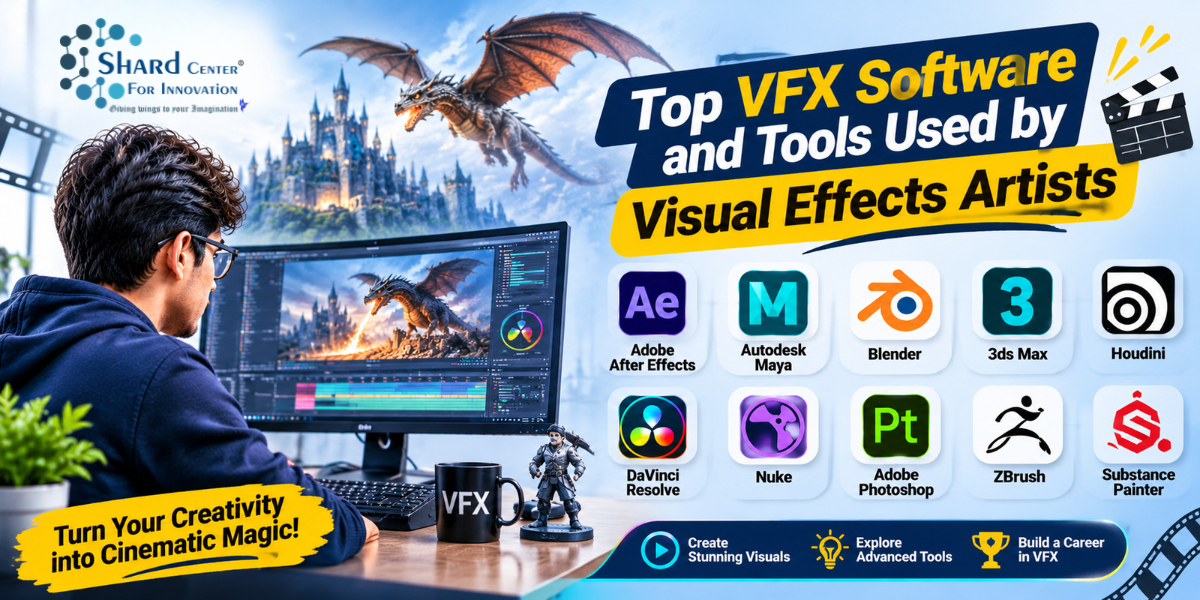
Visual effects (VFX) software let users create visual effects for professional uses in films and animations. Some popular VFX software includes Houdini, Blender and Adobe After Effects, but there are many other VFX software that are available in the market with different features. This article has been designed to help guide VFX students in selecting the best software to start, and includes the best free VFX software with paid pro-level apps used by studios Choice of software depends upon a user’s skill level, workflow and the kind of video content that is desired to be created.
Here is the list of the best VFX software for beginners and professionals who wish to work on large scale projects.
1. Filmora
Wondershare Filmora is a beginner-friendly visual effects software, which contains many AI features for pro-level effects. It includes more than 14000 effects such as pixelate, blur, retro and more. It can be applied to produce cinematic effects such as explosions and fire using assets from Boris FX and NewBlue FX. These features make Filmora a great choice for beginners, and it is also available on mobile to be freely downloaded.
2. Houdini
Houdini is among the most powerful software for simulations. It is used in blockbuster films, games and TV, and is built is SideFX. It has a node-based, procedural workflow and is best for creating scenes including smoke, fire, particles, water and destruction. It allows the user to create complex elements with full control and flexibility. It is used by large studios for its advanced performance, and it can be integrated into other pipelines using Houdini Engine. Its key features include advanced simulation tools, procedural workflow and Houdini engine for cross-software integration.
3. Autodesk Maya
This is the best software for special effects in animation. It is a trusted and complete tool for 3D animation and modelling. It provides great features for character animations and dynamic simulations. It is widely used for creating special effects in games, animated films and digital media. It includes the Bifrost engine for creating advanced simulations, along with Arnold Renderer for creating high-quality visual output. It is the industry standard for animation and VFX.
4. 3DS Max
This is the best VFX software for architectural and product visualisations. It is also suitable for game development and media content. 3DS Max’s strength lies in modelling and simulation, and is widely used for creating environments, lighting effects and simulations. It also works along with other tools such as Maya and Houdini for large scale projects. It supports several file formats. Its key offerings include strong environment and scene building tools, modifier stack workflow and Arnold renderer.
5. Cinema 4D
Cinema 4D is a useful software for motion designers, animators and studios. It is beginner-friendly, but also relevant for studio projects. It supports animation, 3D modelling, simulation and rendering and is useful for motion graphics, broadcast designs, commercials and short films. It’s stable workflow and built-in integration is appreciated by artists. It is easy to learn and includes a wide toolset for modelling and rendering.
6. Blender
This is among the best VFX softwares available today which is open-source and free. It includes modelling, compositing, and motion tracking. It is used in various industries such as short films, TV series and advertisement. It includes sculpting tools, cycles renderer, camera, object tracking, and a built-in compositor. It Is suitable for creating visual effects shots that combine 3D assets and live-action footage. It has a built-in 3D tracker and compositor and includes cycles and Eevee rendering engines.
7. Nuke India
This is a VFX software for solo creators and small studios. It supports over 200 creative nodes. It also includes the UnrealReader node, which lets the user bring renders from Unreal Engine. It allows the production of content in up to 4K resolution. It includes Node-based compositing, industry-standard keyers and 3D camera tracking.
8. Fusion
Fusion is utilised as a top VFX tool by large teams, as it offers powerful compositing and 3D tools in one place. It has a node-based interface, letting users control their visual effects pipeline. It integrates with DaVinci Resolve, letting users colour grade. It has been a part of many Hollywood movies and series.
9. Adobe After Effects
This is one of the most used VFX programs, with usage in video editing, advertising and animation. It includes compositing features, motion tracking and integration with other Adobe apps. Cinema 4D allows users to convert 2D layers into 3D shapes and animate them. It is beginner friendly.
10. Kdenlive
Kdenlive is a non-linear editor and is also a free, open-source VFX software option. It is great for light VFX works, such as adding filters, transitions, titles and vector-based animations. It can be linked with Glaxnimate to create animated SVGs. It offers many great features and functions well on low-end systems thanks to its proxy editing feature.

How to Select a Visual Effects Software
Beginners should select free VFX softwares such as Blender, Kdenlive or Filmora, as these tools are easy to use. More experienced users should try Houdini, Nuke and Maya. VFX softwares like Blender and Kdenlive are free and open-source, while others such as Filmora offer a free trial with flexible plans. After Effects and 3DS Max are paid options.
Software selection also depends upon the editing goals – for motion graphics, select Cinema 4D or Fusion, while for 3D work or dynamic simulation, select Maya or Houdini. For basic effects and edits, select Filmora or Kdenlive.
Conclusion
There are many VFX tools and software available for users. However, the usage depends upon the skill level, cost and editing requirements of the user. For individuals beginning to learn VFX, it is advised to use free tools, while other adept users can use paid tools.
Choosing the right VFX course can help you build the creative and technical skills needed to work in today’s rapidly growing visual effects industry. Shard Center for Innovation’s programmecombines practical learning, creative problem-solving, and industry-focused training to help students understand how professional visual effects are created. As a professional VFX institute, we provide hands-on VFX training that covers visual effects techniques, compositing, digital environments, and production workflows. Students work on practical projects under expert guidance, allowing them to develop their skills while building a strong VFX portfolio.
Frequently Asked Questions (FAQs)
Q1. Which VFX software is best for beginners?
Ans: Blender, Filmora, and Kdenlive are good options for beginners. They allow new learners to explore basic visual effects, video editing, compositing, and animation without starting with highly complex tools.
Q2. Which VFX software do professional visual effects artists use?
Ans: Professional artists work with tools such as Autodesk Maya, Houdini, Nuke, Adobe After Effects, and Fusion. The choice depends on the project, production requirements, and the artist's specialisation.
Q3. Is Blender good for creating professional visual effects?
Ans: Yes, Blender offers 3D modelling, animation, motion tracking, compositing, and rendering features. Artists can use it to combine 3D elements with live-action footage and create visual effects projects.
Q4. What is the difference between Houdini and Autodesk Maya?
Ans: Houdini is particularly useful for procedural effects and complex simulations such as smoke, fire, water, and destruction. Autodesk Maya is widely used for 3D modelling, character animation, and dynamic simulations.
Q5. Which VFX software is best for creating motion graphics?
Ans: Cinema 4D and Adobe After Effects are popular choices for motion graphics. They help artists create animated titles, visual transitions, 3D elements, and engaging digital content.
Q6. Can I learn VFX without buying expensive software?
Ans: Yes, beginners can start learning with free tools such as Blender and Kdenlive. These programs provide useful features for practising animation, editing, compositing, and basic visual effects.
Q7. What is Nuke software used for in the VFX industry?
Ans: Nuke is used for professional compositing and combining multiple visual elements into a finished shot. It offers node-based workflows, camera tracking, and advanced compositing tools.
Q8. Which VFX software is suitable for film and gaming projects?
Ans: Autodesk Maya, Houdini, Blender, and Nuke are useful for different stages of film and gaming production. They support tasks such as 3D modelling, animation, simulations, and compositing.
Q9. Does learning VFX software require coding knowledge?
Ans: No, beginners do not need programming knowledge to start learning most VFX tools. However, understanding scripting and procedural workflows can be helpful when working with advanced tools and complex projects.
Q10. How can beginners choose the right VFX software for their career?
Ans: Start by identifying your interests, such as animation, compositing, motion graphics, or simulation. Practise with beginner-friendly software, understand the fundamentals, and gradually explore professional tools based on your career goals.